Tuesday, 30 September 2008

Google endorses IT volunteering through iT4Communities

A new YouTube video shows Vint Cerf, internet guru and vice-president of Google, adding his support to the work of IT4Communities [IT4C], a UK-based charity that recruits and places IT professionals to support projects in the community.

Hosted by the Worshipful Company of IT professionals in the City of London, IT4C sits between the voluntary sector and a network of IT professionals. It receives requests for help from charities across the UK, and uses a telephone-based project definition process to create a brief for each piece of work. This brief is then circulated amongst its network of volunteers, who can log onto the central website to follow up and offer themselves.

Cerf was recorded by Anne Stafford of IT4C at a meeting in late September 2008. I'm working with Anne on a project to promote IT volunteering on the Isle of Wight, which I hope will lead to production of a new toolkit to link IT4C with local volunteering networks in the south east.


YouTube - Vint Cerf at iT4Communities

Tuesday, 9 September 2008

What makes a good presentation great?

SLideshare logoLooking for inspiration for your presentations? Now you can check out the world's best presentations at www.Slideshare.net who have announced the results of the Best presentations Contest 2008. The winning entry is called Thirst [see below] does an excellent job of explaining the impending global crisis in water resources.

Slideshare is an excellent website that hosts your presentations for free. It's a useful tool for sharing presentations before and after events, and it's also a good place to look for ideas when planning your own presentations.

Take a look and see what you think of the winners. You'll see how they all use strong graphics, and it's also interesting to note that many of the slide shows selected relate to not for profit activities and campaigning. Perhaps they're easier to judge than the typical sales-oriented business presentation?

Results of the World's Best Presentation Contest 2008 - SlideShare

THIRST
View SlideShare presentation or Upload your own. (tags: design crisis)

Tuesday, 2 September 2008

Just what the world needs: A new browser?

Google is about to launch a new open source web browser. Read about what it does - and why - by reading their comic book style story, and then sit back and see whether the might of Google can dislodge the monster that is Internet Explorer.

Google Chrome

Tuesday, 26 August 2008

Can Facebook stop global capitalism?

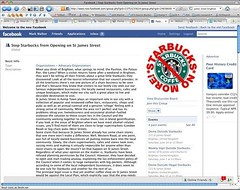
A Facebook group has been started by a campaign in Brighton that wants to close down Starbucks newest coffee shop in the city. As well as rejecting the corporate giant in favour of the numerous small independent coffee shops the group is also raising awareness of the fact that Starbucks is choosing to ignore the fact that it doesn't have planning permission to be there.

This is one of many campaigns being developed through new social networking sites, but it remains to be seen whether it can make a difference when faced with an intractable corporation. It's also worth noting that facebook funds itself through advertising - and when I visited it was a credit card company paying for my eyeballs to cross its path.

Facebook | Stop Starbucks from Opening on St James Street

Blog Action Day 08

In classic self-referential style I'm blogging about Blog Action Day, which takes place on 15 October and has a theme of Poverty. There are 2,709 blogs signed up so far, and it all seems very worthy, but I have yet to make sense of how I can participate and what will change as a result of it...

It's all very blog-tastic - have a look and see what you think...


Blog Action Day 08

Tuesday, 19 August 2008

Win an award for digital inclusion

Have you created or implemented an initiative that has used Information and Communication Technology (ICT) or digital technology to positively impact socially disadvantaged or digitally excluded communities? If so, you should enter the European e-Inclusion Awards 2008.

The Awards are open to organisations in the public, business and voluntary sector or civil society. There are seven competition categories:

  • Ageing Well
  • Marginalised Young People
  • Geographic Inclusion
  • Cultural Diversity
  • Digital Literacy
  • e-Accessibility
  • Inclusive Public Services
Entries will close on the 12th September 2008 and five finalists in each category will be invited to exhibit at the Ministerial Conference on E-Inclusion to be held in Vienna in December 2008 For more information on the Awards or to register, contact the awards team on:
+44 207 234 3538 or visit the website www.e-inclusionawards.eu

More details on the e-inclusion Awards website

Workshop: Tackling Digital Exclusion, November 2008

Digital Unite is the organisation behind the annual Silver Surfer Day, which helps promote the use of computers and the web by older people. They’re now running a workshop in November to show voluntary and community organisations how they can help their clients and communities to bridge the digital divide.

“In today’s world being able to use Information Technology is as vital as reading and writing. Yet some people miss out on this vital skill, whether because they retired before learning for work, slipped out of the education ‘loop’ for some reason or simply felt too daunted at a crucial time in their lives. Bringing IT literacy programmes to these groups can feel challenging but it’s also a tremendous opportunity to work communicatively and pro-actively and in a life-changing way with your clients.

You will spend a constructive, creative day with like-minded others finding out about the highly successful ‘DU way’ of bringing sustainable IT programmes into all sorts of communities. We’ll also explore how to use outreach opportunities like Silver Surfers’ Day to encourage people to join in and try new technologies.”

Dates:

  • Liverpool, Wednesday October 29;
  • Brighton, Thursday November 6;
  • Burton-upon-Trent, Tuesday, November 11;
  • Exeter, Monday November 17.

Costs:

GBP75 per head or GBP120 for two from same organisation.

Refreshments:

Hot and cold drinks and biscuits but please bring yourself something for lunch.

Timings:

Exact times depend on locations but roughly 9.30-4.30pm.

Tuesday, 12 August 2008

What is Uniservity telling us?

Recent years have seen many voluntary and community sector infrastructure bodies spend five figure sums on database projects. Some have been successful, others have not.  The flood of such projects is now slowing to trickle, which may explain why one of the biggest suppliers has pulled out the market, leaving its customers across the UK without support for their products.

Such projects are always complex, especially when the client has little experience of how to get what they need. The databases being commissioned are shared information systems, helping to promote better co-working between agencies in a local area. They may also be linked to shared website systems, which include the ability for member organisations to build and manage their own sites.

I'd estimate that at least £1m has been spent in the UK on similar products in the space of three years, and one of the most popular suppliers has been Uniservity.

Not only did they have a good product and recruited staff with experience of the sector, they came with an endorsement from NAVCA, the lead body for CVS Chief Officers in the UK. Now they've pulled out of the market, and suggested that their customers switch to other suppliers for product development and support.

Informal research suggests Uniservity has a reasonable share of the market, so this will be a big problem for lots of people who thought they were investing in better information systems for the long term. NAVCA's decision to give them its blessing could also be seen as a dent in the reputation of the sector.

Below is a message from the NAVCA Chief Officer which explains its position. It's good to see someone so senior saying sorry, and let's hope others who backed Uniservity - and other suppliers - will be just as candid about the perils of their national clout skewing the market.

Procurement and investment
On the other hand this is a complex issue that deserves ongoing attention, well beyond a review of NAVCA's relationships with suppliers.

From the supplier side Uniservity certainly seemed to be a credible option. I assume that there are financial reasons to withdraw from a market in which they are a leading player, which perhaps reflects a lack of ongoing income from their initial sales. There are very few new clients beyond the Consortia which had ChangeUp funding for these projects, and few of them will have budgeted for spend beyond years one or two.

I'd suggest Uniservity's withdrawal is a symptom of bigger problems on the client side. These include unrealistic funding deadlines, lack of focus in the face of a blizzard of "urgent" issues, and the shortcomings of the procurement and project management expertise at a local level?

I have also been surprised at how few people spending the money have spoken to one another either before, during or after the procurement process - and there are suggestions of large discrepancies between what was paid for similar products.

Leaving aside whether the money would have better spent on projects other than databases or websites, this is a very common problem when budgets do not follow through the implementation process. Even if implemented perfectly first time [ha ha] all databases and websites need to grow and change as they are used, which means more money in years three and beyond.

The current problems also shows how valuable independent advice and support is for the sector - and how carefully that independence needs to be patrolled at national, regional and local levels.

What next?
The network of regional ICT Champions is being asked to help review the situation and support organisations affected by Uniservity's decision. I hope we can look beyond Uniservity's clients to all similar projects and how they're progressing.

We can help quantify the size and nature of the problem, share best practise, create a collective voice with the remaining suppliers, encourage peer support amongst people with the same issues and identify key factors that make such projects a success.

Amongst the support available is a popular workshop I delivered in February about how to choose a database, as well as the wealth of guidance about choosing and using databases in the ICT Hub Knowledgebase. I'm sure we can also come up with more help specific to the ongoing implementation of these complex systems, perhaps involving volunteer support through IT4Communities.

Expect to see more on this over the coming year...

= = = =

Dear Chief Officers

I gather from a recent email conversation with Steve Place, Chief Executive at Dorset Community Action, that support from Uniservity is becoming more and more difficult to obtain.

NAVCA's relationship with Uniservity over the past four years was discussed at the recent Trustee Board meeting in the context of new "guidelines for ethical business development" agreed by Trustees.

I would like to offer my personal apology for the way Uniservity turned out. I was responsible for the early discussions with Uniservity and for the subsequent "partnership" with NAVCA.

At the time of the early discussions Uniservity was highly recommended to NAVCA by two members in the North West. They had both bought the Uniservity database product and were very pleased with its implementation. In presentations to NAVCA Uniservity representatives were convincing - they had a real grasp of the needs of NAVCA members and seemed committed to developing and sustaining the product.

Hindsight is always a great thing as we know. However, it is fair to say that I should have been more circumspect about the Uniservity offer. It was a small company with a limited track record outside the NAVCA members in the North West.

It has turned out badly for too many NAVCA members. The learning we have taken from this sorry story is that we will not enter into a partnership of this sort again with a database supplier.

Good wishes

Kevin
______________________________

Kevin Curley       
Chief Executive
NAVCA (National Association for Voluntary and Community Action)
The Tower
2 Furnival Square
Sheffield S1 4QL   

Monday, 11 August 2008

Funders needs a sense of balance

Jill Ferguson at Hastings Voluntary Action [HVA] has posted a useful reminder that grant funding from Government remains a vital part of the funding mix at a local level. She welcomes a recognition of the role of grassroots activity at a neighbourhood level but fears that the emphasis on contracting services and tendering for funds will undermine funding for work which is best delivered on a small, very local scale.

This echoes a campaign being led by NAVCA called Sustaining Grants - why local grant aid is vital for a healthy voluntary and community sector and thriving local communities.

Jill's article can be found on HVA's website: HVA - paper_030

More details of the NAVCA Campaign can be found on its site http://www.navca.org.uk/publications/sustaininggrants/

Monday, 4 August 2008

Turning websites into email

I love email and I get loads of it every day. I filter it off into various folders and try very hard to only read messages that require an action - and leave the rest until I have set aside 10 minutes or so for catching up. And now I love SendMeRSS, for sending RSS feeds sent straight to my email in-tray, giving me all sorts of news and updates as they're added to the web.

logo for SendMeRSSI love mailing lists and discussion forums because I can dip into specialist networks and keep track of trends and ideas, just by running through a folder full of emails. I also love having email on my Blackberry because I can ignore stuff as it comes into my in-tray on my computer at work, but then catch up later [usually as I put the kids to bed].

I also love pootling around websites but find that time goes very quickly and I always end up promising to go back to something - and then never do. So I've signed up to a load of RSS feeds, that mean I can see the latest stories as they're added to a website. The RSS Feed Reader built into my browser [Flock] is fine, and you can also get RSS or News Readers as standalone applications. But I want all the information I can get coming into my one place  - and in my case it's my email in-tray.

Some websites offer an email subscription, so you can receive news regularly. But many sites don't have this facility, which means you  need to check your RSS Reader or go off surfing on the off chance that something's been added.

SendMeRSS lets me sign up to receive emails every time a website is changed. So I can keep track of any page that has an RSS feed [which is a lot of them these days] and then receive an email containing the story as it is added.

There are other tools like this out there - www.rssfwd.com and FeedMailer.net amongst them - but this has worked the best so far. I get an account lsting my feeds and they come through nice and promptly. Oh, and it's free...

Send RSS feeds to your email | Home

Community-sector Drupal Conference

Drupal is a powerful open source tool for creating websites that can be managed by people without a high degree of technical skills. It is a very popular tool with a large community of users, and it is free.

Drupal logoMany people around the world use Drupal to set up sites for not for profit organisation - we've been using at SCIP for several years, including our own site at www.scip.org.uk. The initial set up stage still requires a specialist web developer, but once it's in place it can offer very powerful features to anyone with basic keyboard and mouse skills.

These sites are becoming increasingly popular for small and medium sized community organisations, alongside the growth of personal sites such as Blogger. You can change content quickly and easily, add photographs and useful links to other sites, add news stories and tidy up loose ends, such as when staff or job titles change.

Drupal has developed thanks to the commitment and collaboration of a wide range of people across the world. This conference in Coventry in late August is for web developrs with a specific interest in creating sites for the voluntary sector. It's just £15 and is being organised by Illuminate ICT.

Our Drupal Conference | www.illuminateict.org.uk

Wednesday, 30 July 2008

How to get a free website

A free series of online tutorials about how to use wordpress to get a FREE, easily updated website.

[Hint: you have to press the back button after watching each segment]

swict.com :||: the place for help when you're Stuck With ICT - WordPress Course

Monday, 7 July 2008

Wednesday, 2 July 2008

Upgrading to QuickBooks Pro 2008: A Warning

Quickbooks is a very popular accounting package, often used by organisations that have graduated from using spreadsheets but who don't need the full power of Sage.

Given its popularity it's interesting to see 12 out of 12 stinking reviews on Amazon, including one that simply says 'Whatever you do don't upgrade to Quickbooks Pro 2008'. Take a look at the reviews to see why not.

Amazon.co.uk: QuickBooks Pro 2008: Software

Wednesday, 25 June 2008

Free manuals for open source products


Floss Manuals is a great website that lets you build manuals for a wide range of free software. You can pick and choose which software you want to know about and it will build a manual that you can download as a pdf.

There are loads of free open source tools out there that can do the same thing as software you can pay for - free software available online you can download and use without paying a license fee. So far so good, but, unlike Microsoft and other standard suppliers, it can sometimes be hard to find user-friendly information about how to use it.

It's all very well installing a free copy of Open Office if you're confident about learning new software skills, but it's a lot harder for people who aren't happy clicking about trying to make it work. And there aren't that yet Dummies' Guides for even the most popular open source products.

That's why Floss Manuals is a great idea. It's a well-designed website that let's you select the products you want to know about and download pdfs of the manuals. Follow the link to see how it helps you get the most from OpenOffice, which is a free alternative to the suite of Microsoft Office applications including Word, Excel and PowerPoint. OpenOffice manuals

SurveyMonkey is accessible

Do you need to run online surveys? There are lots of free tools for building surveys on websites but one of the easiest to use and most popular is Survey Monkey. It's now been certified as fully accessible, which means it can be used by people who use screen readers, such as blind people. It has a lot of free features that can be used for smaller surveys or it can be rented cheaply by the month when you need to build bigger surveys.

SurveyMonkey.com is accessible

Sunday, 22 June 2008

Big money for young people

The Big Lottery Fund has announced £190m of funding to create new spaces for young people. Looks like a great new initiative but it will be interesting to see in what ways computers, the internet and other technologies feature in the projects that are funded.

It's often assumed that young people know everything about technology and that us adults are lagging far behind. My experience, however, is that many young people do not have access to laptops, wifi or home computers. They cannot afford them, or they can only use them at school, where they may be face all sorts of restrictions in their use.

They may be evolving massively muscular thumbs but beyond the social aspects of texting, mobiles phones and Instant Messaging there can be a distinct lack of opportunities for more meaningful use of new technology. They may also be short of teachers, parents or carers with enough confidence or creative skills to help them.

I did some work many years ago in Brighton Young People's Centre. They have had an IT suite for many years - originally ste up with UK Online funding - and recognise that although many kids have Playstations very few will have had a chance to 'play' with creative tools like video, music or the web.

The young people I worked with wanted to work together on a video project, or learn about music technology and make songs with their friends. What they needed was a space where they could access cameras, keyboards and editing software, which is those days was not available in schools.

More importantly they were lucky enough to be in a space where the youth workers considered these activities to be an important part of their work. They recognised that it help gives them confidence, build relationships and create stories which reflect their lives. It helps create the sort of buzz which draws in young people who are put off by formal education and can help tackle social exclusion.

They could build on their youth work training to learn relevant technical skills, or see when they needed to bring in experts to help with things like DJ skills, video editing or web design. In contrast to my work in schools at the time they seemed more open to these ideas than the formal education system, where technology was often seen as creating as many problems as it solved.

That was all before MySpace and bebo and IM and even texting, so the landscape has no doubt shifted enormously. There may be more ready access to the web but that brings new issues into play, such as personal safety and responsible uuse of social networks.

What hasn't changed is that young people will continue to benefit from access to high quality technology, supported by knowledgeable and supportive youth workers with relevant skills. I know there are lots of young people's projects that have seen how IT can help transform lives. Hopefully the BLF will see that and encourage applicants to think big when it comes using new technology.

myplace

Thursday, 19 June 2008

Fundraising and the Internet

Fundraising is the lifeblood of the sector, but how can the internet help? Well, it can help you with:

  • Research that supports your fundraising
    • Where’s the money?
    • Information to support my bids
  • Raising money from donors
  • Improving your fundraising skills
I compiled the following list of sites as part of a review of useful sites for a training course I'm planning. Although a lot of it may appear to be local information I'd suggest it all has some value wherever you work:

East Sussex Bidding Bulletin
The Bidding Bulletin is updated monthly and is the most comprehensive listing of current funding sources I have found anywhere in the country, including deadlines, contact details of all live funding pots. Mainly relevant to south east of England, but worth a look for any fundraiser.

West Sussex Grant Finder
Where’s the money? Use this free service to search for current grants information. Not 100% relevant to Brighton & Hove but better than anything we have online here.

Government Statistics
Relevant facts and figures emphasise the value of your work and add weight to your application. Now you can view all sorts of Government statistics - just put in your postcode and see the census data for your neighbourhood, plus loads of other useful information to cut and paste into your funding bids.
Take donations online at bmycharity
Take donations online – you pay a commission but can easily take donations and add tax relief without having an online banking facility. You can also try www.justgiving.com for the same service.

Popular local funders
Brighton Resource Centre maintains a list of popular funders, especially aimed at small local groups. Every CVS or local support group could do this quite easily - does yours?

Professional fundraising information
This is at the professional end of the fundraising spectrum but may alert you to training courses or new ideas.

Advice about how to make a bid
Lots of useful leaflets and information to download from the Funderfinfer website about how to do fundraising – from beginner to expert level.

You can also subscribe to various email alerts to receive news updates about fundraising by email. Keep your eye open as you surf these links and let the information come to you.

Thursday, 5 June 2008

Do you get the most from Word?

In the age of Google Docs, websites and wikis Microsoft Word may feel like a dinosaur to some, whilst many will be stumped by the bewildering range of functions and short cuts and menus it offers. It remains a valuable tool for many tasks, however, and not least when preparing and collaborating on long reports. You just have to put a bit of time into learning a few key tools.

As I'm running a course about report-writing next week I've been brushing up on a few of the basics - many of which I use all the time when compiling reports. Because of a background in desk top publishing I'm particularly keen on style sheets and all the automated functionality that flows from them - saving time and effort and bringing a professional-looking consistency to how your report is presented. Whichever function you favour you may need a bit of work to get it to do what you want, but once you do you'll never look back.

I've complied my top ten tips below, but along the way I found a very nice site that explains style sheets and other functions in a jargon-free way that is useful to beginners and experts alike.

My Top Ten Tips for Getting the Most from Word when Writing Reports

1    Start with an outline
Start building your report by laying out the bare bones using the Outline View, and then starting to add the flesh. Especially useful for planning and then reviewing the overall structure of your report as you go along.

2    Headers and Footers make the report look smart
Display the same piece of text, eg date, page number or title, on every page in the top and/or bottom margins. Another way of adding polish to your report, as well as making it easier for your reader to use.

3    Get to grips with style sheets

Style sheets are used to store formatting instructions for headings and paragraphs, which can then be easily applied to other paragraphs. It helps you produce professional-looking documents and can save you loads of time and effort if you know how to use them.

4    Use Outline Numbering

You can automatically add numbers to your headers as you create your report, and  heading numbers will even update themselves if you move things around as your report takes shape.

5    Create a Table of Contents

Create a list of headings in a document that can be inserted anywhere in your document, and can be easily updated as you go along.

6    Use graphics

Photographs, logos and charts can bring the report to life. You can insert graphics into Word documents including graphs imported from Excel that you can update later. It is especially useful to learn how to make pictures appear exactly you want on the page.

7    Check spelling and grammar

Use the built in tools to highlight possible errors, and always leave plenty of time at the end to use the spell-checking tool to run through your final document.

8    Track other people’s changes

See the changes that have been made quickly and easily when you get a document back from someone else. You can run through a complex document easily accepting or rejecting suggested changes .

9    Create an Index

You can create and then update and edit an index containing key words and the pages where they can be found. This makes you look *really* clever...

10    Keep it simple

Use as few fonts and font styles as possible, don’t add unnecessary details, use graphics sparingly for maximum impact.

For more help about using Word try Shauna Kelly's site at www.ShaunaKelly.com

By the way I also found a lot of interesting articles foretelling the death of Word as Google rolls ouit its plans for Google Docs - here's a good one... MiramarMike.co.nz: Google Docs ... so what - the ONE reason why you should care

The fine art of making a presentation

I've just stumbled across a wonderful example of how tools such as Powerpoint and graphs and charts can be a tool for powerful and highly effective communications. I urge you to watch it through to the end to remind you just what makes a great presentation work - and also because it's about world poverty and raises all sorts of questions about its causes and effects.


I'm preparing notes for a workshop on presentations, which will combine a session I run on the use of powerpoint with a workshop that someone else delivers that focuses on body language and confidence-building. We're taking the best bits from each to produce a two-day course for staff and volunteers from community and voluntary organisations in Brighton & Hove.

Whilst Powerpoint may be a staple tool of business there are many people in the voluntary sector who do not use it, and in fact are often anti-Powerpoint. This may be because they don't have access to the tools, or often because they feel an aversion to it - having suffered too many times at the hands of a poor quality presentation made worse by awful slideshows.

The availability of cheaper laptops and projectors means it is now becoming more common for people to use them - we hire them out at SCIP and have seen a massive change in the numbers being borrowed in the past few years. Today a new laptop plus projector may cost no more than about £700 , and it's a great tool for community work and outreach.

But, instead of being liberated by the opportunity to prepare and share information in such a flexible way there is still an underlying assumption that Powerpoint = boring, and an antipathy towards its use. Mainly this is because too many people have suffered as people use all the gadgets at their disposal without any consideration about how it helps tell their story. Rather than embrace the technology and use it as a tool it has become someting you have to apologise for.

I think this video shows how we need to look beyond the technology to see that it is the story and the storyteller that matter - but also how they can use the tools available to help you listen, learn and respond. It subtly underlines that you need to be in control of your tools - this is a master craftsman cleverly combining highly technical skills to make an incredibly powerful point.

TED | Talks | Hans Rosling: New insights on poverty and life around the world (video)